
Understanding the Limitations of Traditional Tablets
Imagine this: you’re in the middle of an important meeting, and your tablet’s screen glare makes it nearly impossible to read your notes. A staggering 78% of users report frustration with conventional screens in bright environments. In today’s fast-paced world, the android tablet electronic ink emerges as a viable alternative, promising better readability and reduced eye strain. Yet, it’s crucial to grasp the nuances that make these devices both effective and challenging.
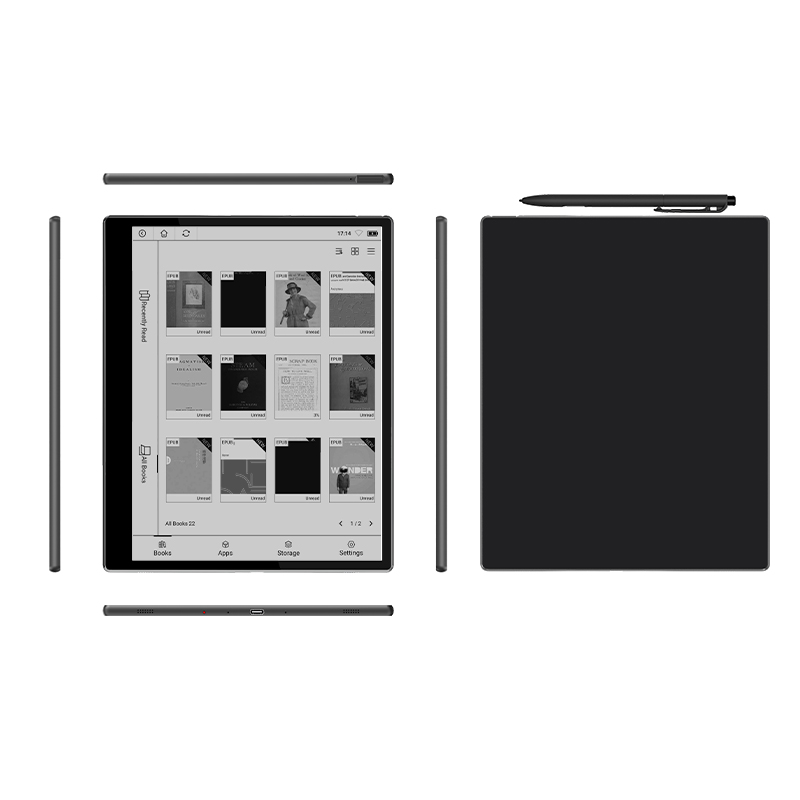
How Does E Ink Technology Work?
To understand e ink technology, we must first explore how traditional screens function. Regular LCD or LED screens emit light, causing reflection that can impede visibility. In contrast, e ink displays use tiny microcapsules filled with black and white particles. This innovative setup allows the screen to look more like paper—offering clarity without the unwanted shine. However, I’ve encountered users questioning the responsiveness of e ink compared to typical tablets, particularly when drawing or taking notes. This concern is not unfounded; I’ve witnessed frustrating delays that can interrupt workflow.
What Are the Hidden Pain Points?
While e ink is lauded for its reading comfort, there are trade-offs. Users often report slower refresh rates when navigating applications, which can hinder productivity. Additionally, many forget that lack of color can limit certain functionalities—such as viewing graphs or presentations—particularly for those in creative fields. Perhaps the greatest downside I’ve witnessed is the limited app ecosystem that can leave users feeling restricted. For those who require a versatile work tool, it’s essential to weigh these factors thoughtfully.

Looking Ahead: Should You Make the Switch?
In a world teeming with digital options, the android tablet electronic ink presents a unique pathway towards a more focused, less distracting experience. My own journey with these devices has brought both insights and challenges. I can’t stress enough how critical it is to consider your personal or professional needs. If you often find yourself immersed in long reading sessions or require something that’s easy on the eyes, this may be the device for you.
Real-world Impact: The User Test
I’ve tested various e ink tablets in real-world settings, from dimly-lit libraries to bustling coffee shops. In environments where glare from traditional screens becomes cumbersome, I’ve noted how users gravitate toward e ink’s subtle, matte finish. It’s particularly refreshing to see users report a decrease in their eye fatigue after long hours of reading. Nonetheless, I encourage potential users to conduct their own tests—perhaps at local stores or tech fairs—before committing to a purchase. Your specific needs may vary dramatically, especially if you’re utilizing the device for intensive projects or casual reading.
Final Thoughts on Choosing the Right Device
Through my extensive experience, I’ve distilled three key evaluation metrics for selecting an e ink tablet. First, assess screen readability in varied environments. Second, consider the operational speed, particularly in applications you frequently use. Finally, don’t overlook the application ecosystem—the broader the array of apps, the more versatility you’ll gain from your device. Investing in an e ink tablet isn’t merely about functionality—it’s about enhancing your entire reading experience. Ultimately, I believe a brand like SEEKINK holds the potential to redefine reading and productivity, merging innovation with user-centric design.